

Web Application
How to Use the Web Application
With the Meteonorm web application you can preview and download typical (TMY) and actual (AMY) meteorological years for any location worldwide. The web app provides the same data as the Meteonorm Climate API endpoints, but in a non-technical, user-friendly way. You can store multiple projects and locations/calculations, visualise the results and export them in various formats.
After you log in at https://app.meteonorm.com, the index page allows you to 1. create, delete, and open projects and 2. check your current AMY balance (downloads available for Actual Meteorological Years) and go to the shop to buy more.
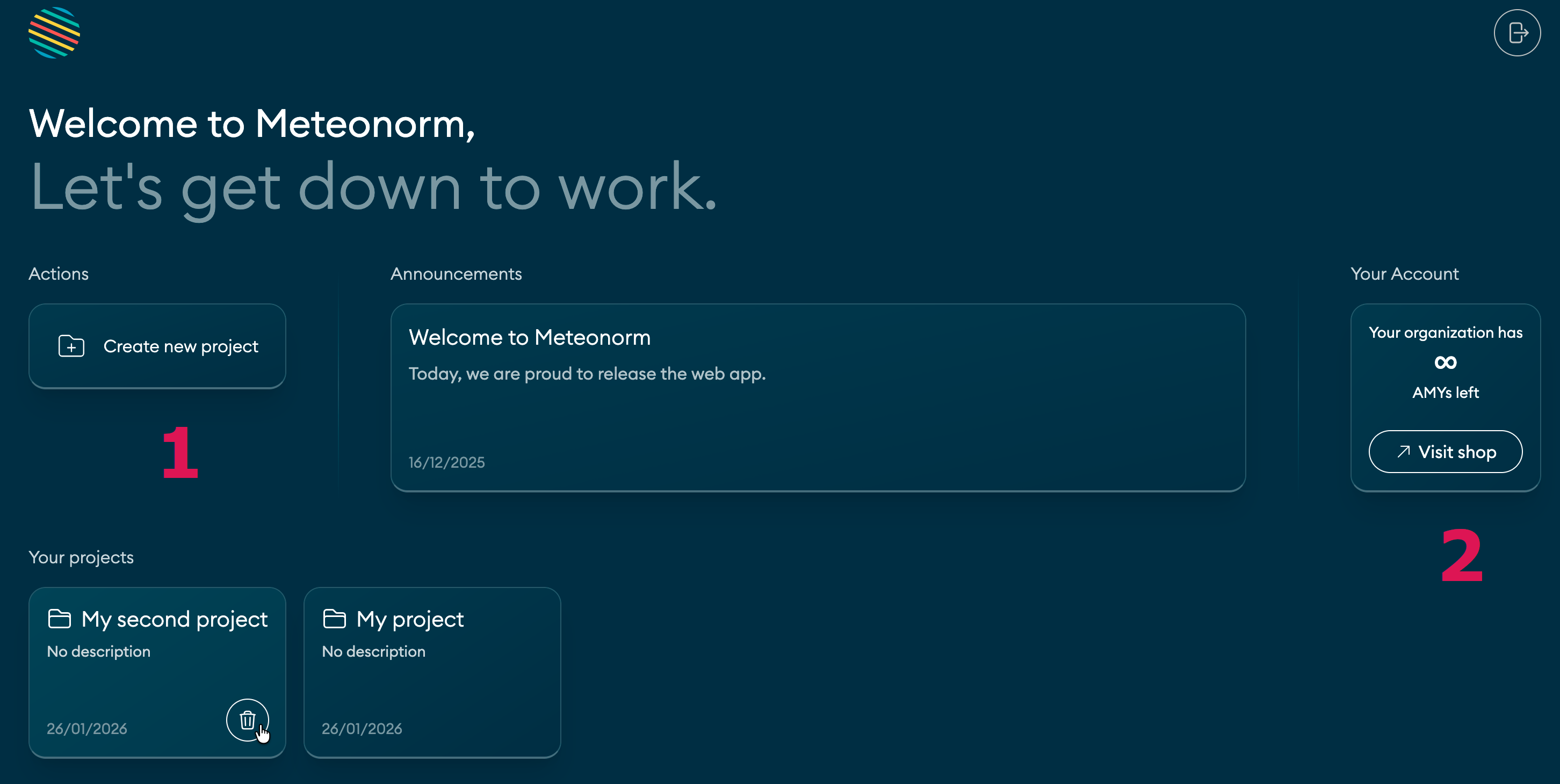
When you open a project, the screen consists of a single-page interface:
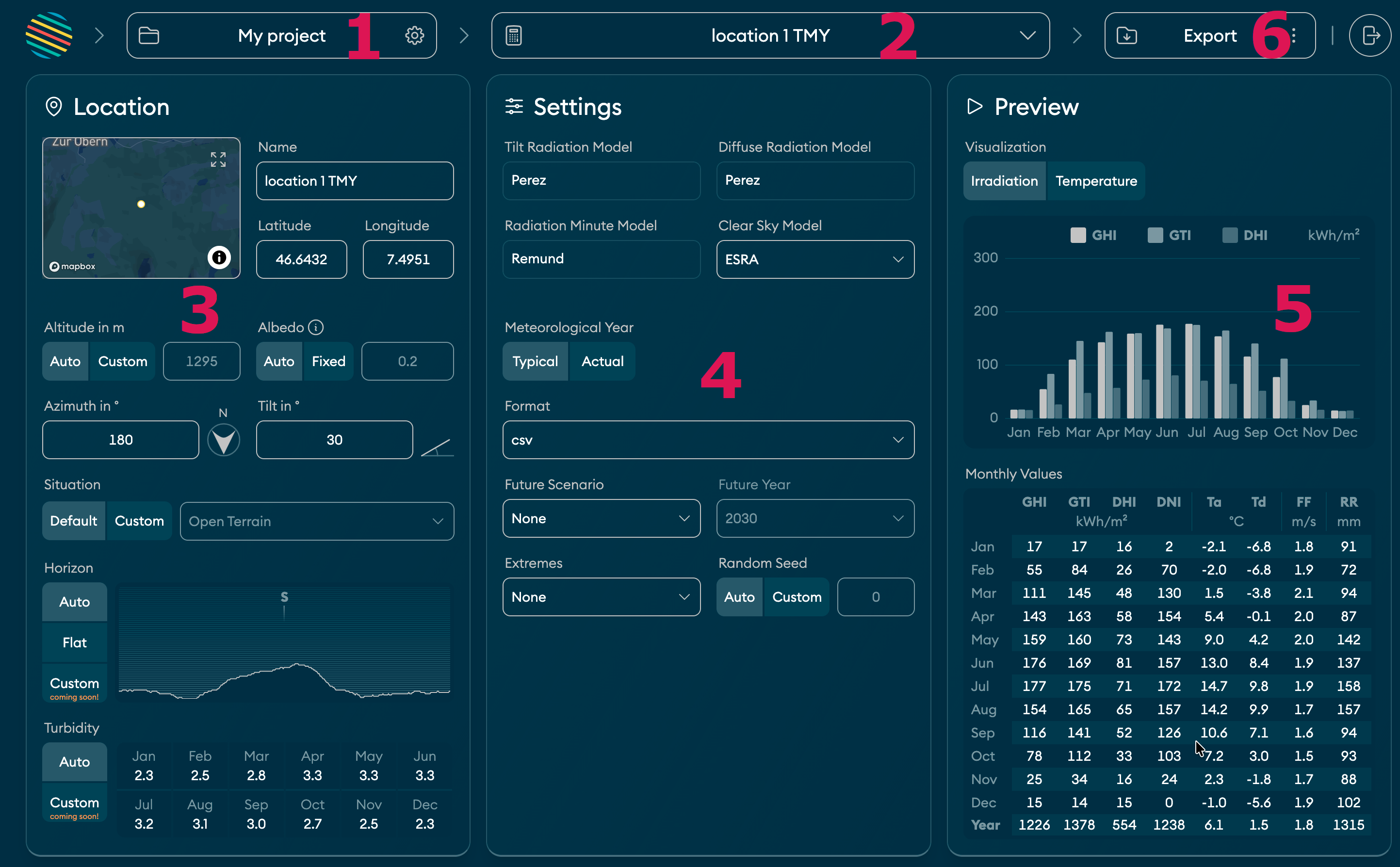
- Name of the active project. You can change name and description by clicking here.
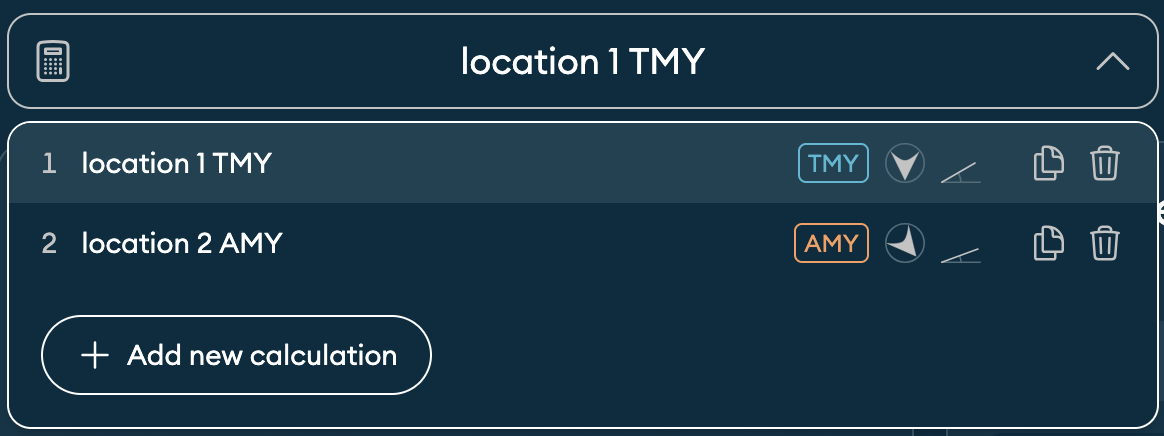
- Active calculation of the project. A calculation consists of a location and calculation settings.
By default, a project contains one calculation. But you can add as many as you like:
- Geographic details of the location and its surroundings. Click on the map to see exactly where you are.
- Calculation settings. Choose between TMY (Typical Meteorological Year) and AMY (Actual Meteorological Year).
- Preview for irradiation and temperature parameters. Preview updates automatically when you change anything relevant.
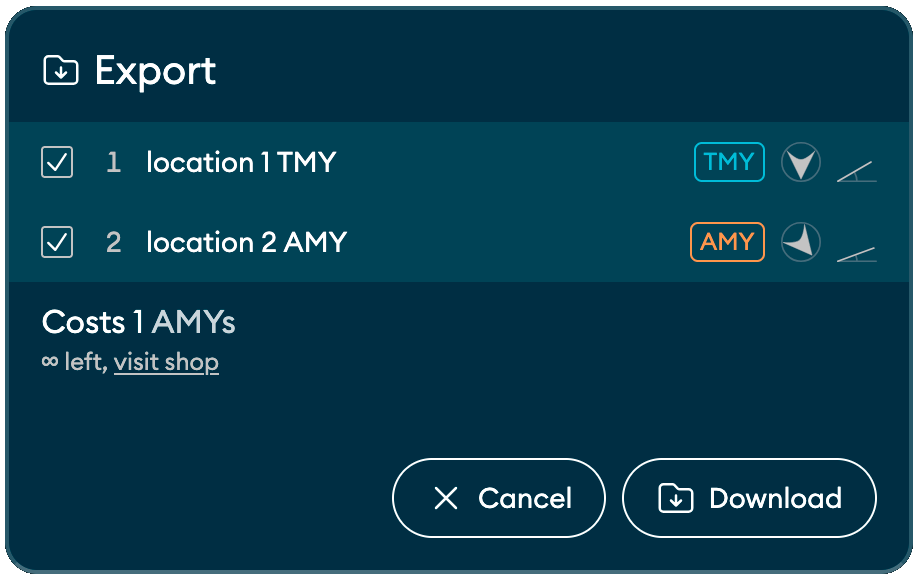
- Export/download button. Click here to download a zip file that contains TMYs/AMYs in the
selected format (for all the climate parameters), meta data, and a summary report (PDF):
Last modified on