# How to Use the Web Application
With the Meteonorm web application you can preview and download *typical* (TMY) and *actual* (AMY)
meteorological years for any location worldwide.
The web app provides the same data as the Meteonorm *Climate* API endpoints,
but in a non-technical, user-friendly way.
You can store multiple projects and locations/calculations, visualise the results and
export them in various formats.
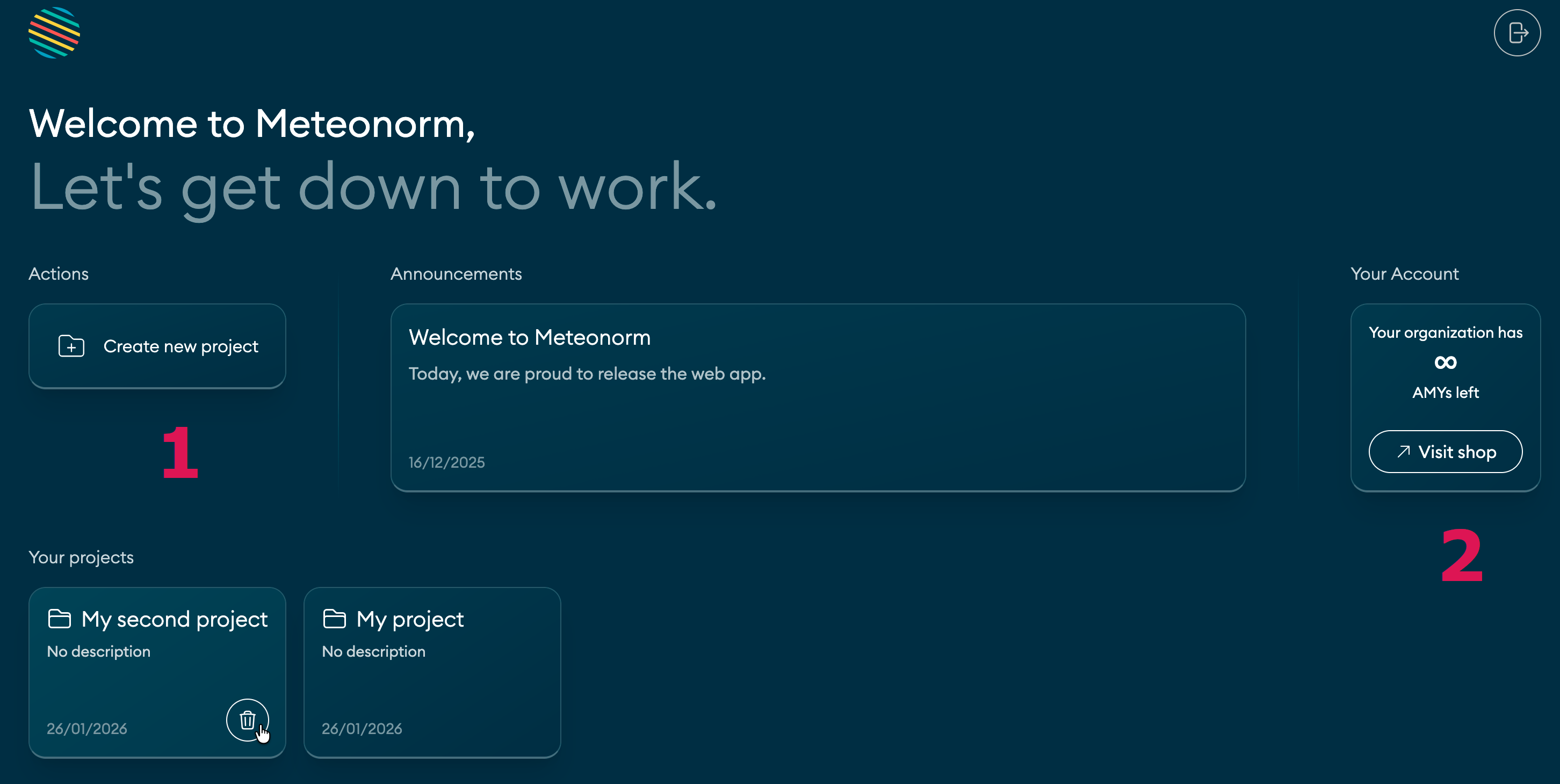
After you log in at https://app.meteonorm.com, the index page allows you to 1. create, delete,
and open projects and 2. check your current AMY balance
(downloads available for *Actual Meteorological Years*) and go to the shop to buy more.
 When you open a project, the screen consists of a single-page interface:
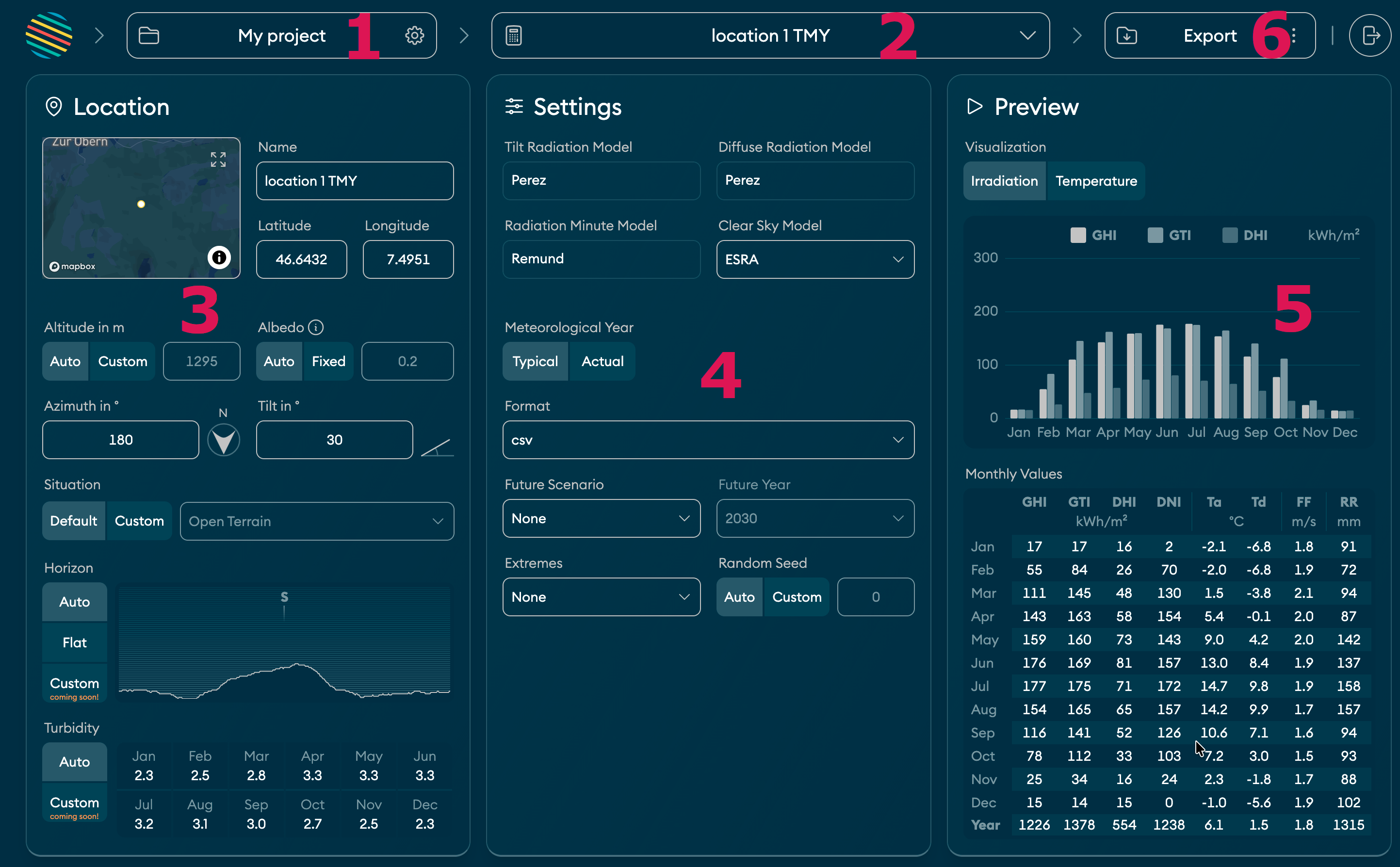 1. Name of the active **project**. You can change name and description by clicking here.
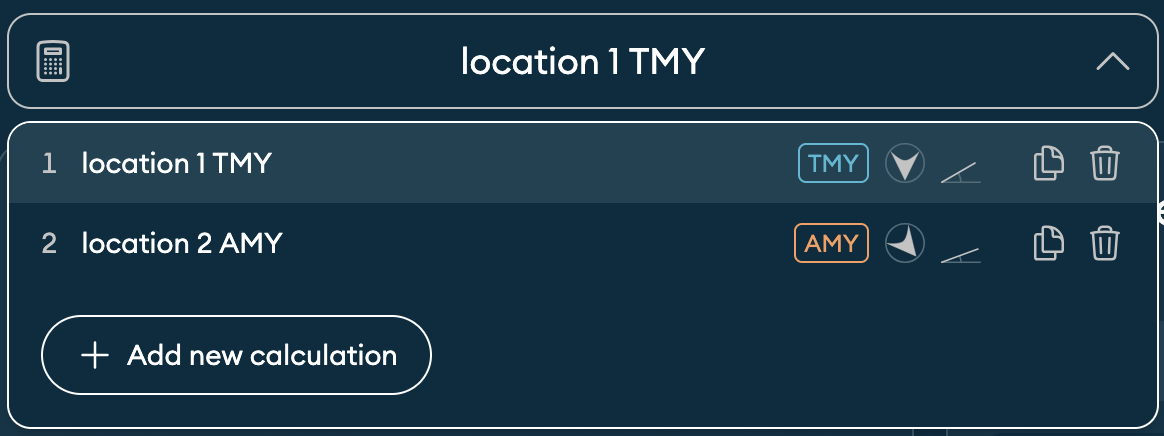
2. Active **calculation** of the project. A calculation consists of a **location** and calculation **settings**.
By default, a project contains one calculation. But you can add as many as you like:
1. Name of the active **project**. You can change name and description by clicking here.
2. Active **calculation** of the project. A calculation consists of a **location** and calculation **settings**.
By default, a project contains one calculation. But you can add as many as you like:
 3. Geographic details of the **location** and its surroundings. Click on the map to see exactly where you are.
4. Calculation **settings**. Choose between **TMY** (Typical Meteorological Year) and **AMY** (Actual Meteorological Year).
5. **Preview** for irradiation and temperature parameters. Preview updates automatically when you change anything relevant.
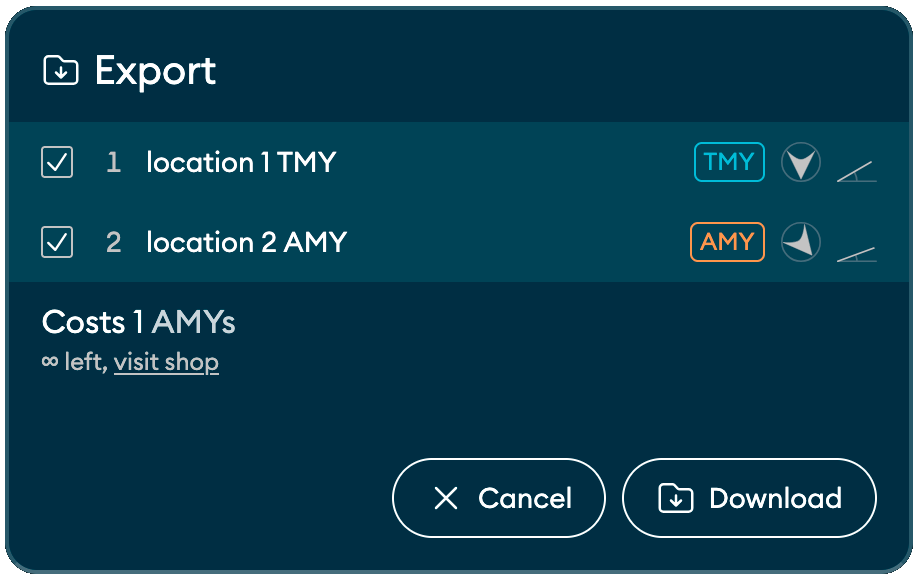
6. **Export/download** button. Click here to download a zip file that contains TMYs/AMYs in the
selected format (for all the [climate parameters](/overview/parameters#climate)), meta data, and a summary report (PDF):
3. Geographic details of the **location** and its surroundings. Click on the map to see exactly where you are.
4. Calculation **settings**. Choose between **TMY** (Typical Meteorological Year) and **AMY** (Actual Meteorological Year).
5. **Preview** for irradiation and temperature parameters. Preview updates automatically when you change anything relevant.
6. **Export/download** button. Click here to download a zip file that contains TMYs/AMYs in the
selected format (for all the [climate parameters](/overview/parameters#climate)), meta data, and a summary report (PDF):